Explore AI Art with AI Insights from aijoe.uk
Artificial intelligence is transforming the way art is created and experienced. If you have ever wondered how machines can generate stunning visuals or assist in your creative process, you are in the right place. This post will guide you through the exciting world of AI art, showing you how to get started, what tools to use, and how to unleash your creativity with the help of AI. Ready to explore? Let’s dive in.
Discover AI Insights from aijoe.uk
When it comes to understanding AI art, having a reliable source of information and inspiration is crucial. That’s where aijoe.uk comes in. This platform is designed to make AI art accessible to everyone, whether you are a beginner or an experienced digital creator. It offers easy-to-follow guides, tutorials, and a rich library of AI-generated artworks to spark your imagination.
You might ask, what makes AI art so special? Unlike traditional art, AI art involves algorithms that learn from vast amounts of data to create unique images, patterns, or even animations. This means you can experiment with styles, themes, and concepts that might be difficult or time-consuming to achieve manually. Plus, AI tools often allow you to collaborate with the machine, tweaking parameters to get the perfect result.
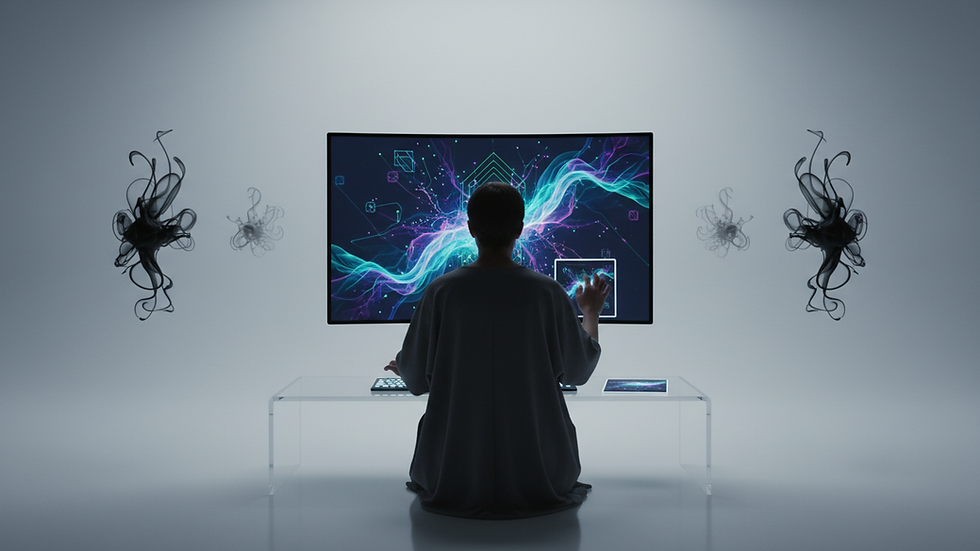
How to Start Creating AI Art Today
Getting started with AI art is easier than you might think. Here are some practical steps to help you begin your journey:
Choose the Right AI Tool
There are many AI art platforms available, each with different features. Some popular options include neural style transfer apps, text-to-image generators, and AI painting assistants. Look for tools that offer user-friendly interfaces and allow you to experiment freely.
Learn the Basics of AI Art Techniques
Understanding concepts like generative adversarial networks (GANs), style transfer, and deep learning can enhance your creative process. You don’t need to be a programmer, but a basic grasp will help you make informed choices.
Experiment with Prompts and Parameters
Many AI art tools let you input text prompts or adjust settings like colour, texture, and style. Try different combinations to see what resonates with your artistic vision.
Join Online Communities
Sharing your work and learning from others can accelerate your growth. Platforms like aijoe.uk often have forums or social media groups where you can connect with fellow AI artists.
Keep Practising and Exploring
AI art is a rapidly evolving field. Stay curious and open to new tools and techniques. The more you create, the more you’ll discover your unique style.
What AI Jobs Are in Demand in the UK?
If you are interested in turning your passion for AI art into a career, it’s helpful to know which roles are currently in demand in the UK. The AI industry is growing fast, and several job types are particularly sought after:
AI Art and Design Specialists
These professionals combine artistic skills with AI knowledge to create innovative digital content for advertising, entertainment, and media.
Machine Learning Engineers
They develop and optimise algorithms that power AI art tools and other applications.
Data Scientists
Their role involves analysing large datasets to improve AI models, including those used for creative purposes.
AI Product Managers
They oversee the development of AI-driven products, ensuring they meet user needs and market demands.
Creative Technologists
These individuals bridge the gap between technology and creativity, often working on interactive installations or digital experiences involving AI.
If you want to explore these career paths, consider building a portfolio of AI-generated art and gaining skills in programming languages like Python, as well as AI frameworks such as TensorFlow or PyTorch.

Tips for Enhancing Your AI Art Creations
Creating AI art is not just about pressing a button. To make your work stand out, consider these tips:
Combine AI with Traditional Techniques
Use AI-generated images as a base and add your own touches with digital painting or photo editing software.
Focus on Storytelling
Think about the message or emotion you want to convey. AI can help visualise abstract ideas, but your creative direction is key.
Experiment with Different Styles
Try mixing styles like impressionism, surrealism, or minimalism using AI tools to find what suits your vision best.
Pay Attention to Composition
Even though AI generates the content, you can guide the layout and balance to create visually pleasing results.
Stay Updated on New Tools
The AI art landscape changes quickly. Follow blogs, attend webinars, and explore new software to keep your skills fresh.
Your Next Step in AI Art Exploration
Now that you have a solid understanding of AI art and how to get started, why not take the plunge? Visit aijoe.uk to access a wealth of resources tailored to help you master AI art techniques. Whether you want to create breathtaking visuals, develop a portfolio, or simply enjoy the creative process, this platform is your go-to hub.
Remember, AI art is a journey of discovery. Each experiment teaches you something new and brings you closer to your artistic goals. So, grab your digital tools, explore the possibilities, and let your creativity soar with AI by your side. The future of art is here, and it’s waiting for you to make your mark.


Comments