AiJoe AI Art Blog: Free Guides, Prompts and Tools Hub
The world of AI art moves quickly, and that speed can make it hard to know where to begin. This AI art blog exists to slow things down a little: plain-English guides, a large free prompt collection, honest tool notes and short videos, all written for people who are still finding their feet. If you have arrived here after searching something like "how to learn ai art" or "best free ai image generator", you are in exactly the right place.
In this post, I'll take you through what lives on the site, how the pieces fit together, and the order I would use them in if I were starting again from scratch.
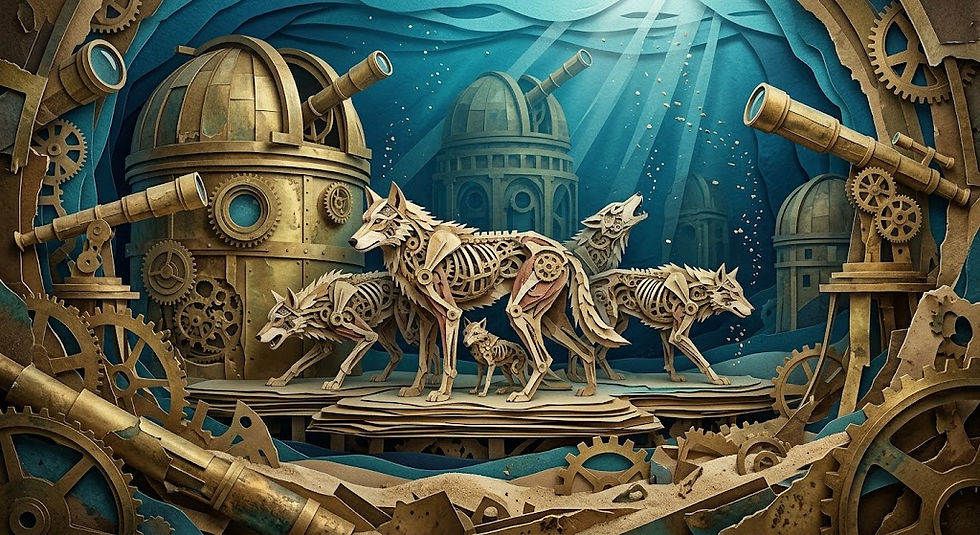
What Is the AiJoe AI Art Blog?
At its core, AiJoe is a UK-based hobby project: a gallery of my own AI artwork, plus the resources I wished existed when I started. There is no paywall, no upsell and no course waiting at the end. The site stays free because the point is to help people make something, not to sell them a shortcut.
The blog itself is organised around a few recurring themes:
Learning AI art: beginner explainers, glossary terms and "how does this actually work" posts.
Prompts and prompt writing: techniques, styles, and packs you can copy and adapt.
Tools and platforms: free generators, paid options, and honest comparisons between them.
AI video: walkthroughs using ChatGPT and Midjourney, plus a growing video gallery.
Creative practice in a UK context: hobby projects, copyright questions, printing and marketplaces.
If you prefer to browse rather than read, the artwork gallery is a decent place to start. Pieces like Learning curve, Frog Squad and Sunrise on Mars show the range of what a hobbyist can make at home with no studio and no budget.
Where Should a Beginner Start?
Most people arrive with one of three questions: how do I learn this, which tool should I use, and why do my images not look like the ones online. Here is the route I would suggest.
Understand the basics first. Read Understanding the Uniqueness of AI Art to get a feel for what these models do and do not do.
Pick a tool without overthinking it. The Best AI Art Tools: An Honest Beginner's Guide covers the main options in plain language.
Compare free and paid properly. Midjourney vs Free AI Art Tools explains what you actually gain by paying, and what you do not.
Then practise prompts. Everything improves once your prompts get more specific.
That last step is where the biggest jump usually happens. Tool choice matters far less than most beginners expect.
The Free Prompt Library: 800+ Prompts to Copy
The Prompt Library holds over 800 prompts, sorted by category: Animals, Fantasy, Fine Art, Materials, Character, Urban, Nature, Vehicles and more. Each one has a Copy Prompt button, so you can take it straight into your generator of choice and see what happens.
It is one of the most-used parts of the site, and for good reason. Reading about prompt writing helps; pasting a well-built prompt and watching it render teaches you faster.
Here is one from the AiJoe Prompt Library, in the Fantasy category:
Extreme advanced image prompt: recursive origami crane swarm over a black reflective pool, built from stained glass, freezing violent motion; storm light and wet reflections. Layer foreground, middle ground and background, show accurate material behaviour, tactile texture, refined composition, cinematic depth, high-quality AI image generation.
And another, from Materials:
Extreme advanced image prompt: ferrofluid horse fair inside an underwater marble hall, built from polished chrome, freezing violent motion; volcanic glow and heat shimmer. Layer foreground, middle ground and background, show accurate material behaviour, tactile texture, refined composition, cinematic depth, high-quality AI image generation.

Notice the structure rather than the vocabulary. Both prompts name a subject, a setting, a material, a motion state and a lighting condition, then ask for depth and texture. That skeleton works in almost any generator. Swap "ferrofluid horse fair" for "a serene mountain lake at sunset" and the same scaffolding still holds the image together.
If you would rather build your own from scratch, the Prompt Generator assembles prompts from those same components. It is free to use, and it is a useful way to break a creative block on a quiet evening.
Can ChatGPT Make Art? A Fair Answer
This comes up constantly, and it deserves a straight answer rather than a hedge.
ChatGPT can generate images, and it is often the easiest starting point because you describe what you want in ordinary conversation. Ask for changes and it will try again. For beginners, that back-and-forth is a gentler learning curve than a tool with dozens of parameters.
Where dedicated art tools tend to pull ahead is in fine control: consistent styles, aspect ratio handling, reference images and repeatable results across a series. If you are making one image for fun, conversational tools are excellent. If you are building a set of twelve matching pieces, you will probably want something more specialised.
My honest view: use ChatGPT to learn how descriptions shape images, then move sideways into a dedicated tool once you know what you are asking for. There is no prize for starting with the hardest option.
Free Generators: What to Check Before You Commit
Free AI image generators have improved a great deal, and for hobby use they are often enough. Free tiers change often, so rather than quoting limits that may be out of date by next month, I keep a running list of options in AI Art Generator Resources & Links.
A few things to check before you commit time to any free tool:
Output rights: what are you allowed to do with the images you make?
Resolution: is the free output large enough for printing, or only for screens?
Queue times: free tiers are frequently slower at busy hours.
Watermarks: some apply them, some do not.
Best for: trying several tools in one weekend before spending anything. Trying free versions can help you find the best fit.
Video Walkthroughs and the Questions Still Open
Alongside the written guides, the site has a growing video section covering ChatGPT and Midjourney workflows. Video suits this subject well, because watching someone adjust a prompt and re-run it shows the cause and effect that a screenshot cannot.
If you want a broader map of the written material, Exploring Comprehensive Digital AI Art Creation Guides pulls the main learning posts together in one place.
There are open questions here too, and I would rather raise them than pretend they are settled. Who owns an AI-generated image, how training data was gathered, and what all this means for working illustrators are live debates. These tools do not replace the artist, but they do change the medium.
It is worth thinking about that as you go. Let's explore these questions together rather than rushing past them.
FAQ
Is everything on AiJoe actually free?
Yes. The blog, the Prompt Library, the Prompt Generator and the video guides are all free to use, with no subscription.
Do I need a paid tool to make good AI art?
No. Free generators are often capable enough for hobby work. Paid tools mainly buy you speed, consistency and finer control.
How long does it take to learn AI art?
You can make something you like on day one. Getting reliably good results often takes a few weeks of regular practice with prompts.
If you take one thing from this post, let it be this: making something teaches you faster than reading about it. Open the Prompt Library, copy a prompt that makes you curious, and run it. Or build something entirely your own with the free Prompt Generator. The first image you make badly is worth more than the tenth article you read.


Comments